Best WordPress Payment Processors That Aren't WooCommerce (2026)
Taking payments on WordPress without WooCommerce is simpler than you think. Here are six plugins with real pricing, transaction fee comparisons, and which one fits your business.
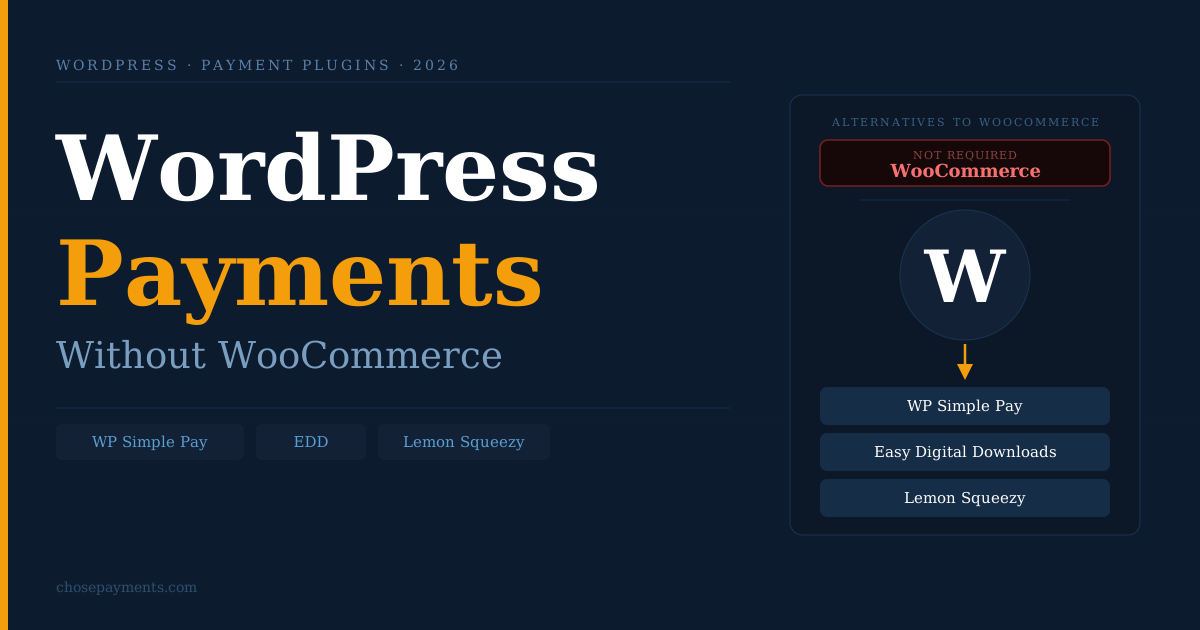
WooCommerce runs on 36% of all online stores, but it was built as a full ecommerce platform, not a payment plugin. If you sell a single service, run a membership site, collect donations, or offer a handful of digital downloads, installing WooCommerce to take card payments adds 60+ database tables, inventory management, shipping logic, and a stack of plugin dependencies to a problem that doesn't need any of them.
Six WordPress plugins handle payment processing without any of that overhead. Each one is built for a different use case, and choosing the wrong one costs real money in platform fees or missing functionality.
Why WooCommerce is the wrong tool for simple payments
WooCommerce's product taxonomy, order management system, and cart workflow are designed for businesses selling multiple physical or variable products with inventory, shipping, and tax complexity.
That infrastructure is appropriate for a 500-product clothing store. It is not appropriate for a consultant charging a project retainer, a creator selling a PDF guide, or a nonprofit collecting donations.
The practical cost of WooCommerce beyond what's necessary: slower page loads from additional database queries, greater theme compatibility requirements, more plugin surface area to secure and maintain, and a significantly steeper setup time.
None of that generates revenue. It's friction. The use cases where a lighter payment plugin is the right call:
- Service businesses charging per project, per hour, or on retainer
- Coaches and consultants taking session payments or deposit holds
- Nonprofits collecting one-time or recurring donations
- Creators selling digital files: ebooks, templates, audio, software
- SaaS products charging monthly or annual subscriptions
- Membership sites gating access behind a recurring fee
WP Simple Pay - For Service Businesses and Subscription Billing
WP Simple Pay sits on top of Stripe. You build a payment form, embed it anywhere on a WordPress page, and Stripe handles the transaction.
There is no cart, no product catalogue, no order management. The plugin is an interface into Stripe's payment infrastructure.
Pricing - see current plans at wpsimplepay.com:
The 3% platform fee on the free version is significant. On $2,000/month in payments, that's $60 going to WP Simple Pay before Stripe's processing fee. The Personal plan at $99/year breaks even at just $277/month in volume - most service businesses cross that threshold immediately.
Stripe's underlying US processing fee is 2.9% + 30¢ per successful card transaction. ACH Direct Debit via Stripe is 0.8% capped at $5 - meaningfully cheaper for high-value B2B invoices.
What WP Simple Pay handles: one-time payments, recurring subscriptions with trial periods and payment plans, instalment schedules, buy now pay later via Stripe's native BNPL integrations, 40+ payment methods, tax rate collection, coupon codes, quantity selectors, and custom fields.
It also supports Stripe's payment element, which shows only the payment methods available in a customer's country.
What it does not handle: multi-item carts, digital file delivery, inventory, or customer download accounts. It is a payment form, not an ecommerce store.
Best for: agencies, consultants, coaches, SaaS products, nonprofits, event organizers who need to charge for a specific thing, not manage a product catalogue.
Easy Digital Downloads - For Selling Digital Files and Software
Easy Digital Downloads (EDD) was purpose-built for selling digital goods on WordPress. Secure file delivery, download limits, time-limited signed download URLs, customer purchase history, and license key generation (via extension) are first-class features. It connects to Stripe, PayPal, and several other gateways.
Pricing:
No plan charges a per-transaction platform fee. You pay Stripe's processing fee (2.9% + 30¢ per card transaction) or PayPal's (3.49% + 49¢ per standard checkout transaction). The gateway fee is the only payment cost.
The free core plugin handles basic digital sales. Recurring subscriptions, software license keys, frontend product submission, commissions (for marketplace models), and affiliate integrations are extensions sold separately or included in the higher-tier passes.
File security: EDD stores files in a protected directory outside the WordPress uploads folder. Download links are time-limited and customer-specific. Direct URL access to the file returns an error. This is meaningfully better than uploading files to your media library and linking to them.
Best for: plugin and theme developers, designers selling assets (Figma files, Canva templates, icon packs), musicians selling stems or sample packs, authors selling ebooks and guides, educators selling self-paced course materials without a full LMS.
Gravity Forms + Stripe Add-On - for payments inside complex forms
Gravity Forms is a form builder. With the Stripe add-on, it collects payment as part of any form submission. The result is a checkout experience that can also gather intake data, ask qualifying questions, upload supporting documents, or route to different confirmation flows based on what the customer selects.
Pricing:
Stripe add-on is included from the Pro plan upward. PayPal Standard is included on all plans including Basic.
Conditional pricing logic: Gravity Forms can calculate payment amounts based on form responses. A services firm can build a form where selecting "Enterprise" charges $5,000 and "Startup" charges $1,500 - the same form handles both without separate pages or products. Quantity selectors, product fields, and option add-ons are all native.
CRM and automation integrations: Gravity Forms connects directly to HubSpot, Salesforce, ActiveCampaign, and Zapier. A completed payment form can create a CRM deal, add the contact to a nurture sequence, and trigger a Slack notification - all in the same submission.
What it does not handle natively: recurring billing (requires configuring a Stripe subscription product externally, then referencing it in the form), digital file delivery, customer download pages. The recurring payment support works, but it requires more setup than WP Simple Pay's native subscription UI.
Best for: agencies collecting project deposits alongside a brief, accountants taking tax preparation fees alongside a client intake form, event organizers bundling registration and payment, consultants running a discovery call booking system with payment capture.
Lemon Squeezy - When tax compliance is the problem
Lemon Squeezy operates as a merchant of record. They are legally the seller of your products to the end customer - they collect payment, remit sales tax in every US state where economic nexus applies, collect and remit EU VAT, GST for Australia, Canada, and other markets, issue compliant invoices, and handle chargebacks and disputes. You receive payouts after their fee.
This is relevant to digital product sellers with any international sales volume. EU VAT on digital services applies to every sale into any EU member state.
US sales tax economic nexus thresholds now exist in 45 states, and digital products are taxable in many of them. Non-compliance is not a theoretical risk - it generates back-tax liability and potential registration obligations across multiple jurisdictions.
Pricing:
- Transaction fee: 5% + 50¢ per sale
- No monthly or annual subscription
- No separate gateway fee - Lemon Squeezy's payment infrastructure is included
Cost comparison on a $49 digital product sale:
Lemon Squeezy costs $1.23 more per $49 transaction. On 100 sales ($4,900/month), that's $123/month in additional fees. TaxJar, a self-managed tax compliance tool for ecommerce, starts at $199/month. If you have real international volume, the merchant of record model saves money and removes meaningful operational risk.
The WordPress plugin: Lemon Squeezy's free WordPress plugin embeds their hosted checkout as an overlay or redirect. Installation requires connecting your Lemon Squeezy store account. There is no payment configuration beyond that - no API keys to manage, no webhook configuration.
What Lemon Squeezy does not do: it is not suitable for service payments (it's a product-sales platform), subscriptions with complex trial logic, or businesses where you need direct control over refund and dispute handling.
Best for: software developers and indie hackers selling SaaS tools globally, digital creators selling to EU customers, anyone who has been avoiding international sales because of tax complexity.
GiveWP - for nonprofit donations
GiveWP is built for charitable giving. The free plugin collects one-time donations via Stripe and PayPal and stores donor data in WordPress. Paid plans add recurring giving, peer-to-peer fundraising campaigns, tribute donations (in memory of someone), and dedicated donation goal displays.
Pricing:
GiveWP does not support product sales, service fees, or invoice payments. It is a fundraising platform, and the UX is optimized for donors, not buyers.
Best for: registered charities, churches, school and sports club fundraising campaigns, disaster relief campaigns, memorial funds.
WPForms and Fluent Forms - for simple one-off payment fields
WPForms Pro ($199/year) and Fluent Forms Pro ($79/year) are general-purpose form builders with payment collection as a feature. Both support Stripe and PayPal, and both can include a payment field in any form. Setup takes ten minutes.
These are appropriate for low-volume, simple use cases: a contact form collecting a $25 consultation deposit, a registration form charging a $50 event fee. They lack product management, file delivery, customer accounts, and subscription infrastructure.
Best for: businesses where payment is incidental to a form workflow, processing fewer than 50 transactions per month.
Comparing all options
Advisory: Please check the Pricing Pages of all the processors for the updated payment details.
What These Plugins Cannot Solve
Every plugin above connects to an underlying payment processor - Stripe, PayPal, or Lemon Squeezy's infrastructure - and it is that processor who underwrites your business, holds your funds, and maintains the right to suspend or terminate your account.
WooCommerce or no WooCommerce, if your business operates in a category that Stripe treats as elevated risk - certain digital subscription products, nutraceuticals, CBD, services with a pattern of chargebacks, or specific adult content categories - the plugin layer does not change the underwriting decision.
Stripe has closed accounts selling perfectly legal products because the vertical or transaction history triggered an internal risk model.
If you are in any category adjacent to high risk, the question of which payment processor is willing to work with your business is more important than which WordPress plugin sits in front of them. A plugin like WP Simple Pay running on top of a processor that supports your vertical is stable.
A plugin running on top of a processor that is uncomfortable with your business model is a liability. Understanding how payment processors classify your business vertical is the starting point for that decision.
Frequently Asked Questions
Common questions about accepting payments on WordPress without WooCommerce.
Setup
Do I need WooCommerce to accept payments on WordPress?
No. WooCommerce is an ecommerce platform, not a payment plugin. Plugins like WP Simple Pay, Easy Digital Downloads, and Gravity Forms connect directly to Stripe or PayPal and process payments without any WooCommerce dependency. For most service, coaching, donation, and digital-product use cases, WooCommerce adds significant overhead — extra database tables, inventory management, and shipping logic — without adding anything useful.
What is the cheapest way to take payments on WordPress?
Easy Digital Downloads and GiveWP both have free core plugins with no platform transaction fee, you pay only the gateway fee (Stripe at 2.9% + 30¢, or PayPal at 3.49% + 49¢). WP Simple Pay's free Lite version adds a 3% platform fee on top, making it more expensive for any meaningful volume. For a single site with basic needs, EDD Free is the lowest-cost option.
Can I take recurring payments on WordPress without WooCommerce?
Yes. WP Simple Pay handles recurring subscriptions natively on all paid plans, including trial periods, payment plan instalments, and cancellation management through Stripe's customer portal. Easy Digital Downloads supports recurring payments via its Recurring Payments extension. Lemon Squeezy handles subscriptions including dunning and failed payment retries as part of its standard merchant-of-record offering.
What does WP Simple Pay charge on the free version?
WP Simple Pay's free Lite version charges a 3% platform fee on every transaction, on top of Stripe's standard 2.9% + 30¢. On a $500 transaction, that's $15 to WP Simple Pay and $14.80 to Stripe. The Personal paid plan at $99/year removes the platform fee entirely and breaks even at roughly $277/month in payment volume.
What is the difference between WP Simple Pay and Easy Digital Downloads?
WP Simple Pay is for collecting payment for services, subscriptions, and custom checkout flows — it does not deliver files or manage downloads. Easy Digital Downloads is purpose-built for selling digital files: secure file storage, time-limited download links, customer accounts, and version management for software. If you are charging for a service, use WP Simple Pay. If you are selling a downloadable product, use Easy Digital Downloads.
Is Lemon Squeezy worth the higher transaction fee?
It depends on your sales geography. Lemon Squeezy charges 5% + 50¢ per transaction versus Stripe's 2.9% + 30¢. On a $49 sale, Lemon Squeezy costs $1.23 more. But as the merchant of record, Lemon Squeezy handles EU VAT, US sales tax across all states, GST, and other consumption taxes. TaxJar, a self-managed alternative, starts at $199/month. If you sell globally, Lemon Squeezy's total cost is often competitive once tax compliance is factored in.
Can I accept payments in multiple currencies on WordPress without WooCommerce?
Yes, through Stripe's currency handling. WP Simple Pay and Easy Digital Downloads both support Stripe, which displays prices and processes charges in the customer's local currency when configured. Stripe applies a currency conversion fee of 1.5% for US accounts processing non-USD transactions. Lemon Squeezy handles multi-currency natively as part of its merchant-of-record service.
Which plugin is best for selling courses on WordPress without WooCommerce?
For selling access to a course, WP Simple Pay handles payment and can trigger access via a membership plugin. Easy Digital Downloads works better if the course is delivered as a downloadable file. Lemon Squeezy handles payment, access, and tax compliance for digital content. For a full LMS, LearnDash with WP Simple Pay, or platforms like Teachable or Podia, are cleaner solutions.